YouTube Creator Partnerships: Brand Deals in 2026
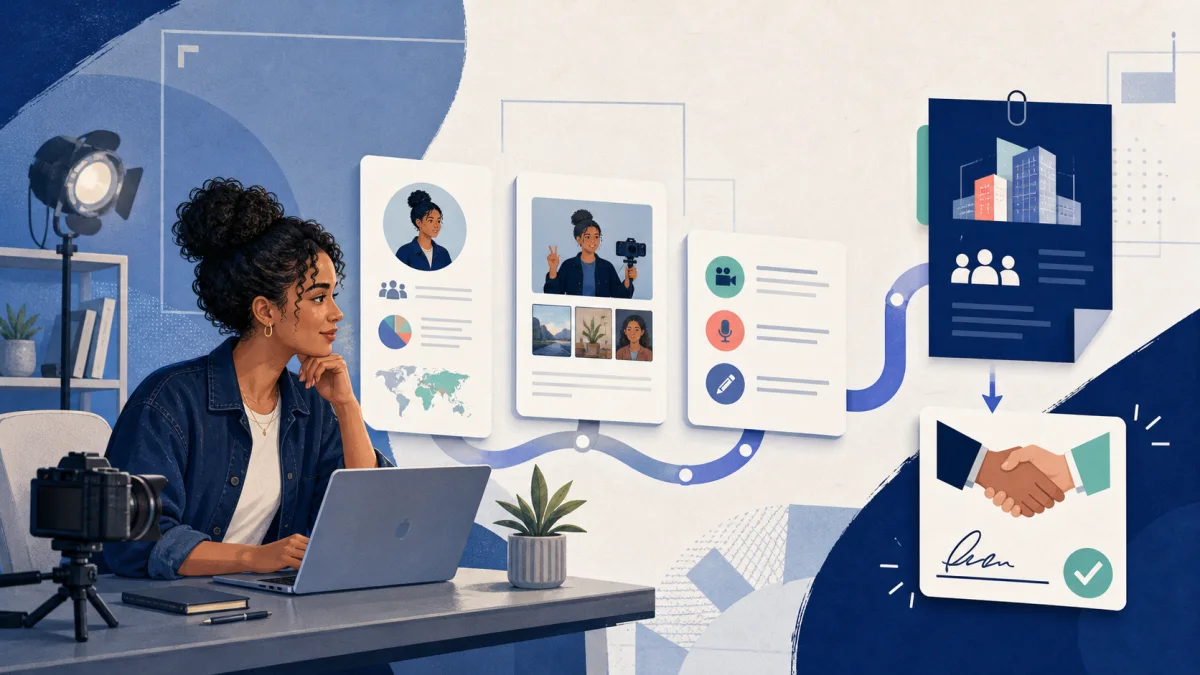
YouTube Creator Partnerships is YouTube's 2026 replacement for BrandConnect: a brand-deal workspace inside YouTube Studio where eligible creators can be discovered, receive inquiries, show a YouTube media kit, set desired rates, and add a manager or business contact. It can create a new path to sponsorships, but it does not guarantee a deal—and the rate shown in an inquiry is not automatically the final offer.
This guide is for YouTube Partner Program creators who want to become brand-ready before an inquiry arrives. Download the YouTube Creator Partnerships setup checklist, then use the steps below to fix the profile, pricing, rights, and follow-up details brands will evaluate.
Jump to: eligibility · profile setup · desired rates · inquiry review · Open Call
What changed from YouTube BrandConnect?
YouTube announced the centralized YouTube Creator Partnerships platform on March 23, 2026. It replaces the BrandConnect name and connects the creator side in YouTube Studio with advertiser tools in Google Ads and Display & Video 360. YouTube says the advertiser side uses Gemini-assisted discovery across more than 3 million YouTube Partner Program creators (YouTube's 2026 announcement).
For creators, the practical change is not “AI will find me a sponsor.” It is that your channel information can now become part of a more structured search, outreach, campaign, and measurement workflow. YouTube reported that creators who shared channel insights were surfaced 60% more often in search results in its US data from October–December 2025. That is a visibility signal, not a promise of inquiries, acceptance, or earnings.
| Stage | YouTube provides | Creator must prepare |
|---|---|---|
| Discovery | Channel search and shared audience insights | Clear positioning, current contact, truthful metrics |
| Inquiry | Brand, brief, goals, and advertiser-provided amount | Fit check, scope questions, and negotiation |
| Pricing | Desired-rate fields for long-form and Shorts | Base deliverable plus separate commercial rights |
| Activation | Brand partner access and creator partnerships boost | Written license, duration, platforms, and approval boundary |
| Closeout | Organic and paid performance signals | Invoice, report, renewal date, and case study permission |
| Wrong assumption | Being discoverable means guaranteed sponsorships | Red: no platform can promise a deal or payment |
Source: YouTube Creator Partnerships and Open Call help documentation, reviewed 2026-08-17; negotiation steps are CreaMate editorial guidance.
YouTube Creator Partnerships eligibility
According to YouTube's current Creator Partnerships eligibility page, a channel must:
- be run by a creator who is at least 18 years old;
- participate in the YouTube Partner Program;
- be based in an available country or region;
- have no active Community Guidelines strikes; and
- continue to follow YouTube monetization policies.
Availability is expanding and the experience varies by region. The current help page lists markets including the United States, United Kingdom, Canada, Australia, Brazil, France, Germany, Hong Kong, India, Indonesia, Japan, Mexico, the Philippines, Singapore, South Korea, Spain, and others. Check the source page rather than treating any static country list as permanent.
If you qualify, go to YouTube Studio → Earn → Creator Partnerships. Not seeing the tab can mean the channel or region is not currently eligible; it does not mean a third-party agency can “unlock” access for a fee.
Set up your profile before a brand searches
Complete the setup in this order:
- Confirm the business email. Use an inbox you monitor and secure. If you work with a manager or agent, YouTube lets you add a secondary business contact who can be copied on inquiries.
- Review your channel positioning. A brand should understand your niche, audience, formats, and commercial fit in seconds. Avoid a bio made entirely of vague claims such as “lifestyle creator.”
- Share accurate channel insights where appropriate. YouTube's discovery tools can use audience and channel information, but every statistic shown elsewhere must match your current source data.
- Open the Media Kit. YouTube says its Media Kit is available to YPP creators on desktop and can include channel and audience information (YouTube Media Kit Help). Download it, check how your channel is represented, and keep a separate live profile for cross-platform work, portfolio examples, services, and terms.
- Set desired rates deliberately. YouTube supports preferences for long-form and Shorts. Treat each field as an opening position for the sponsored deliverable—not a blanket transfer of every commercial right.
Your YouTube media kit is useful, but brands may also need Instagram, TikTok, UGC, affiliate, or past-campaign proof. Build a live creator profile that wins brand deals and use the creator media kit template to keep the story consistent across platforms.
How to choose your desired YouTube sponsorship rate
Start with the asset the brand is buying. A 30-second integrated mention inside a long-form video, a dedicated review, and one YouTube Short are different products. Estimate a base production-and-placement fee from:
- typical views on comparable recent videos, not your single viral outlier;
- format, length, filming, editing, and revision scope;
- audience relevance and buying intent;
- whether publication is on your channel or delivery is unlisted UGC;
- turnaround time and required approvals.
Then price commercial rights separately. YouTube says advertisers can promote eligible creator content through creator partnerships boost, the renamed partnership-ads format. That paid distribution creates value beyond the organic post. Clarify the duration, platforms, territories, edit permissions, and whether the brand can run the video after the original campaign ends.
Use the influencer rate card template to separate deliverables from add-ons, the brand deal rate calculator to produce a working range, and the UGC usage-rights guide before agreeing to paid boosting or broad licensing.
How to evaluate a campaign inquiry
YouTube's help page states that the Earn amount in a campaign inquiry comes from the advertiser and should not be confused with a final offer. For standard inquiries, the creator and advertiser or agency still need to handle the contract and payment terms directly.
Before replying, verify:
- the brand and destination website are genuine;
- the product fits your audience and channel policies;
- every deliverable, deadline, revision, and approval step is written down;
- the fee distinguishes production, organic posting, paid usage, and exclusivity;
- payment timing, currency, invoicing entity, and cancellation terms are clear;
- disclosure requirements are built into the brief rather than added after filming.
If anything is missing, reply with questions before accepting. A platform-generated inquiry is a lead, not a substitute for a contract. Use the brand deal contract checklist and brand-deal scam guide for the checks that happen outside Studio.
Open Call is a separate, narrower opportunity
Open Call sits inside YouTube Creator Partnerships, but it has different rules from an ordinary inquiry. As of August 17, 2026, YouTube says participation is invitation-only and currently requires creators to be in the United States, United Kingdom, or India, participate in YPP with active AdSense, have 1,000–500,000 subscribers, have posted at least one Short in the previous 30 days, and publish original user-generated content (YouTube Open Call Help).
The current help page also says:
- a creator can submit one unlisted Short per project;
- a non-organic UGC selection includes 6 months of advertiser ad usage;
- an organic selection must remain public for at least 180 days;
- selected creators are paid through AdSense within 60 days; and
- videos built around AI-generated visuals or AI-created characters may be automatically rejected.
Those are program-specific terms, not universal benchmarks for direct sponsorships. Read each brief before producing anything, save a dated copy of the terms, and compare the offered payment with the usage the advertiser receives. Do not assume that an unsuccessful submission will be paid.
Turn one YouTube deal into repeat business
YouTube's July 2026 Brand Deal Desk series teaches a five-part cycle: getting visible, pitching with a media kit, pricing and negotiating, managing the creative middle, and reporting after publication (YouTube Brand Deal Desk). That last step is where many creators leave future revenue behind.
Within seven days of a campaign ending, send a concise report with the agreed metrics, audience response, notable comments, and any paid-versus-organic context the brand can verify. Ask whether the team wants to renew, extend usage, or reserve a related format. Record the license expiry date so paid use does not quietly continue forever.
YouTube Creator Partnerships can improve discovery, but the durable advantage is still operational: a recognizable niche, current contact details, credible proof, a rate you can explain, written rights, clean delivery, and a useful performance report. Complete the downloadable setup checklist, then keep each inquiry, contract, asset, invoice, and renewal date in one workflow.
Fact check: YouTube Creator Partnerships, Media Kit, Open Call, and Brand Deal Desk documentation was reviewed against official Google and YouTube pages on August 17, 2026. Features, countries, and invitation criteria can change.
FAQ
- What is YouTube Creator Partnerships?
- YouTube Creator Partnerships is the brand-deal platform that replaced BrandConnect in 2026. Eligible YouTube Partner Program creators can use it inside the Earn section of YouTube Studio to manage brand inquiries, show audience insights through a media kit, set desired rates, and add a business contact.
- Who is eligible for YouTube Creator Partnerships?
- YouTube currently requires creators to be at least 18, belong to the YouTube Partner Program, be based in an available country or region, have no active Community Guidelines strikes, and follow monetization policies. Availability and the exact experience vary by country.
- What rate should I enter in YouTube Creator Partnerships?
- Enter a defensible starting price for the sponsored deliverable, not an unlimited all-rights fee. Base it on expected views, production scope, format, and audience value. Price paid boosting, longer licensing, exclusivity, extra revisions, and raw footage separately when the brief or contract requires them.
- Does a YouTube campaign inquiry guarantee a brand deal?
- No. YouTube says the amount shown in an inquiry is advertiser-provided information, not necessarily a final offer. Review the brief, contract, payment terms, usage rights, and brand identity before accepting. For standard inquiries, creators generally work directly with the advertiser or agency on contracting and payment.
- Is YouTube Open Call the same as Creator Partnerships?
- Open Call is an invitation-only program inside YouTube Creator Partnerships. Its current eligibility, submission, licensing, and payment rules are narrower than the general Partnerships tab, so creators should check the specific brief and YouTube Help page before producing a video.